
ShipSource control
Connect GitHub and deploy a repository
Connect selected GitHub repositories, choose a branch, and follow deployments triggered by pushes.
Connect the GitHub App
Open GitHub in LiveHQ
Choose Connect GitHub. The browser opens the GitHub App installation flow.
Select repositories deliberately
Grant the LiveHQ GitHub App access only to the repositories you want available in this workspace.
Return to LiveHQ
The callback refreshes the repository list. If it does not appear, use Refresh once after the browser completes.
Choose a repository target
- Choose Configure deployment beside the repository, then select the exact branch.
- Create a new app target or choose an existing app configured for that repository.
- Review framework, resources, privacy, database bindings, variables, secrets, and release work.
- Deploy and follow the same five-stage pipeline used for folder deployments.
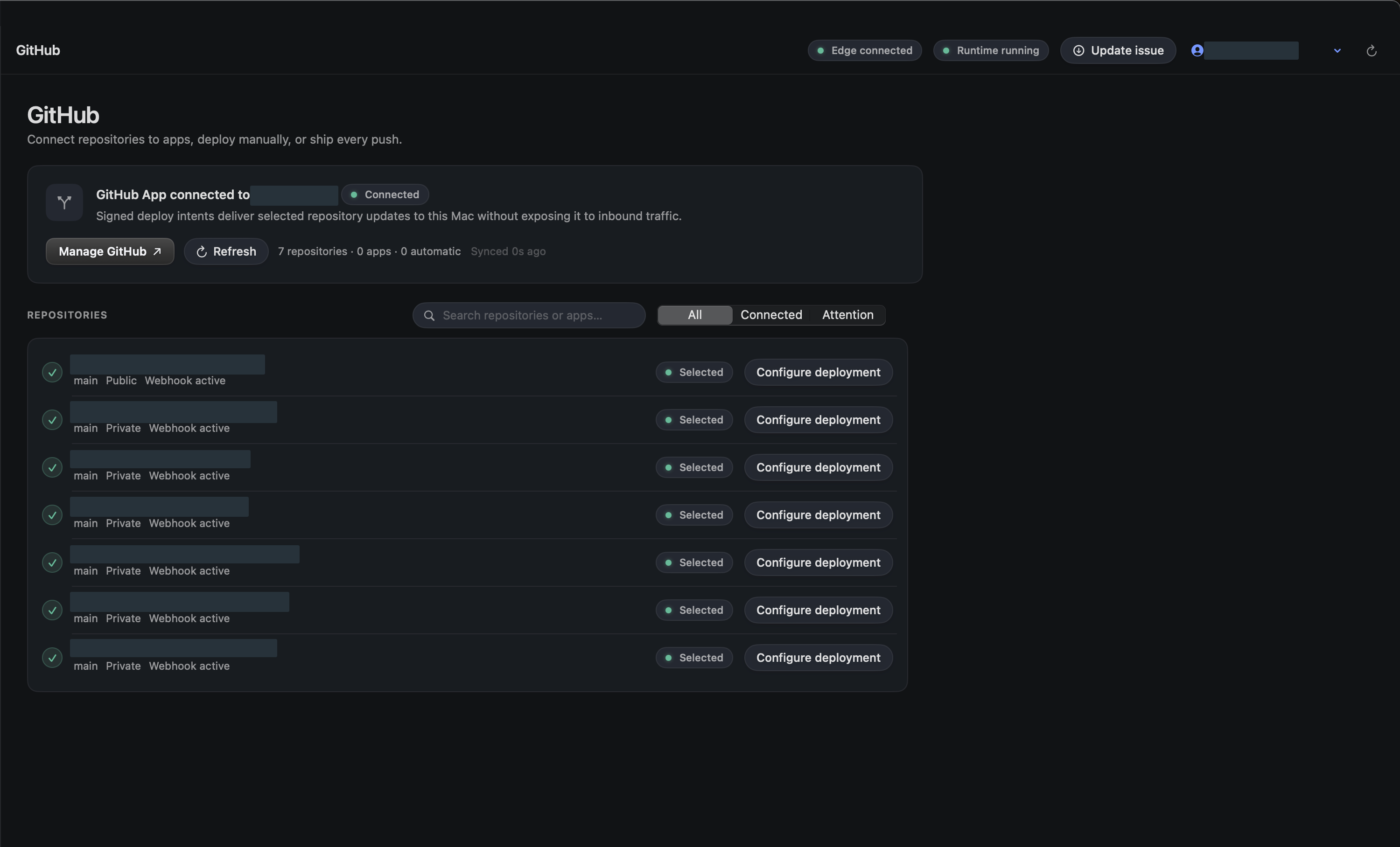
Choose a detail to zoom in, or enlarge the full screenshot.
Understand push deployments
When automatic deployment is enabled for a target, the backend creates a durable deploy intent for the exact repository, branch, commit, workspace, and app. The signed Mac runtime polls and executes only authorized intents for its active profile.
Push deployments remain visible in deployment history. A failed candidate cannot replace the current healthy release.
Detach safely
Disconnecting a repository target cancels its queued push work and removes the source association. It does not delete the running app, historical releases, database, or public route.
Deleting the GitHub App installation in GitHub revokes future repository access. Refresh LiveHQ afterward so the UI converges to the revoked state.