
ShipApp management
Manage apps and deployments
Check app status and logs, deploy a new version, adjust resources, or roll back to the retained release.
Use Overview as the source of truth
The app header identifies the selected application, current state, managed URL, privacy mode, CPU, memory, and deployment count. Overview separates control-plane status from exact local runtime evidence.
Running means the active container is healthy locally. Live means the matching public route is also active. Stopped means service is intentionally offline without deleting configuration or releases.
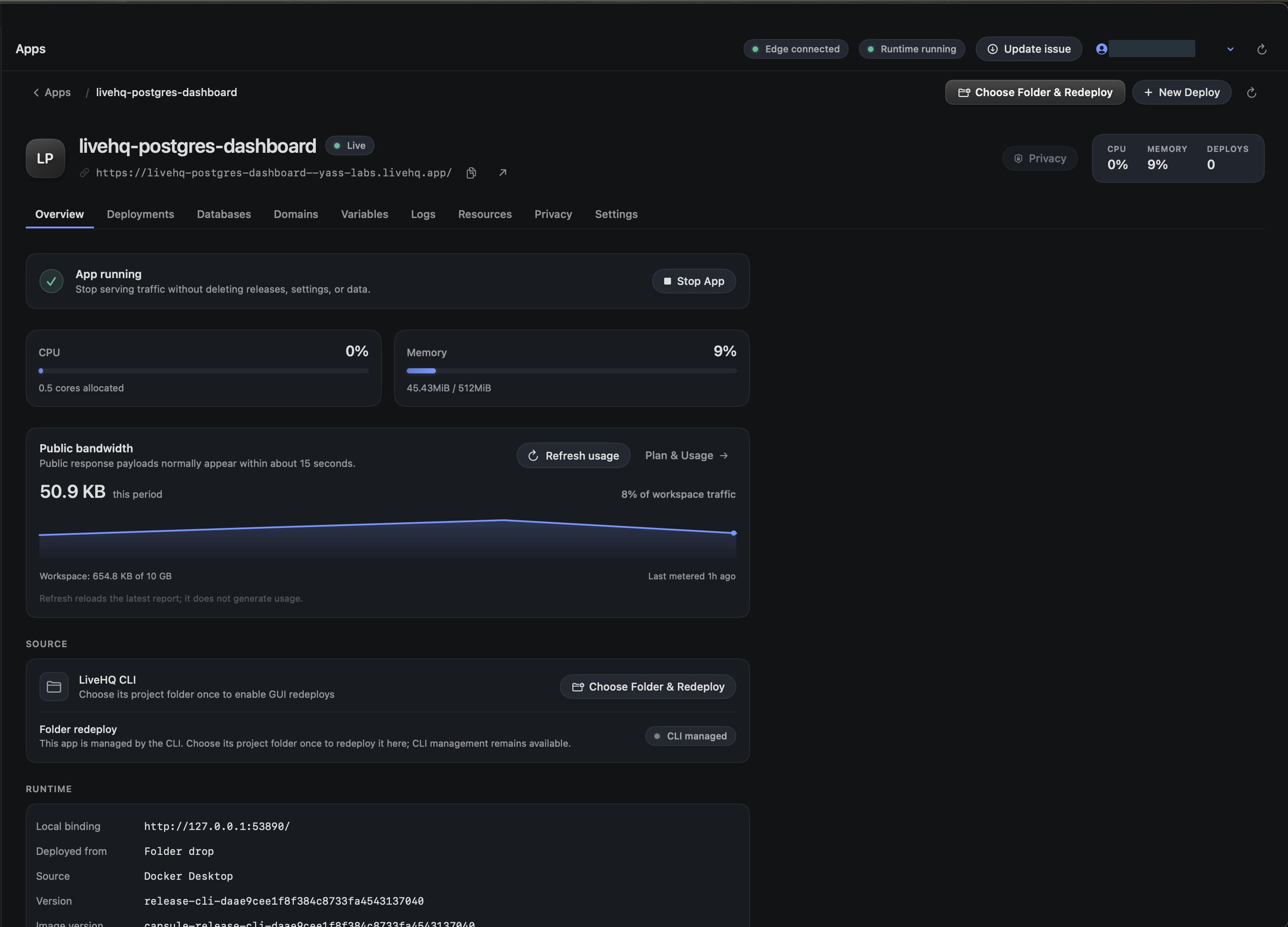
Choose a detail to zoom in, or enlarge the full screenshot.
Choose the right lifecycle action
| Action | Use it when |
|---|---|
| Stop | You want to stop traffic and compute while retaining releases and configuration. |
| Start | A stopped app has a valid successful release and should return online. |
| Redeploy | The saved source changed and you want a new immutable release. |
| Rollback | The latest successful deployment is unhealthy and the immediately previous release is available. |
| Delete | You intentionally want to remove this app after reviewing database and route impact. |
Read deployment history
Deployment history marks the release that is Live now and, when valid, the one Rollback available target. Older releases are read-only history.
Rollback performs health checks and route activation before retiring the newer release. If route acknowledgement is ambiguous, LiveHQ reconciles exact signed status instead of guessing.
Use logs and metrics
- Logs show bounded recent stdout and stderr for the exact active provider instance.
- Metrics report current CPU, memory, network, block I/O, and process count.
- A warming metric or log panel is not automatically an application failure; verify health and the public URL.
- Use Advanced diagnostics only when normal status and recovery guidance are insufficient.
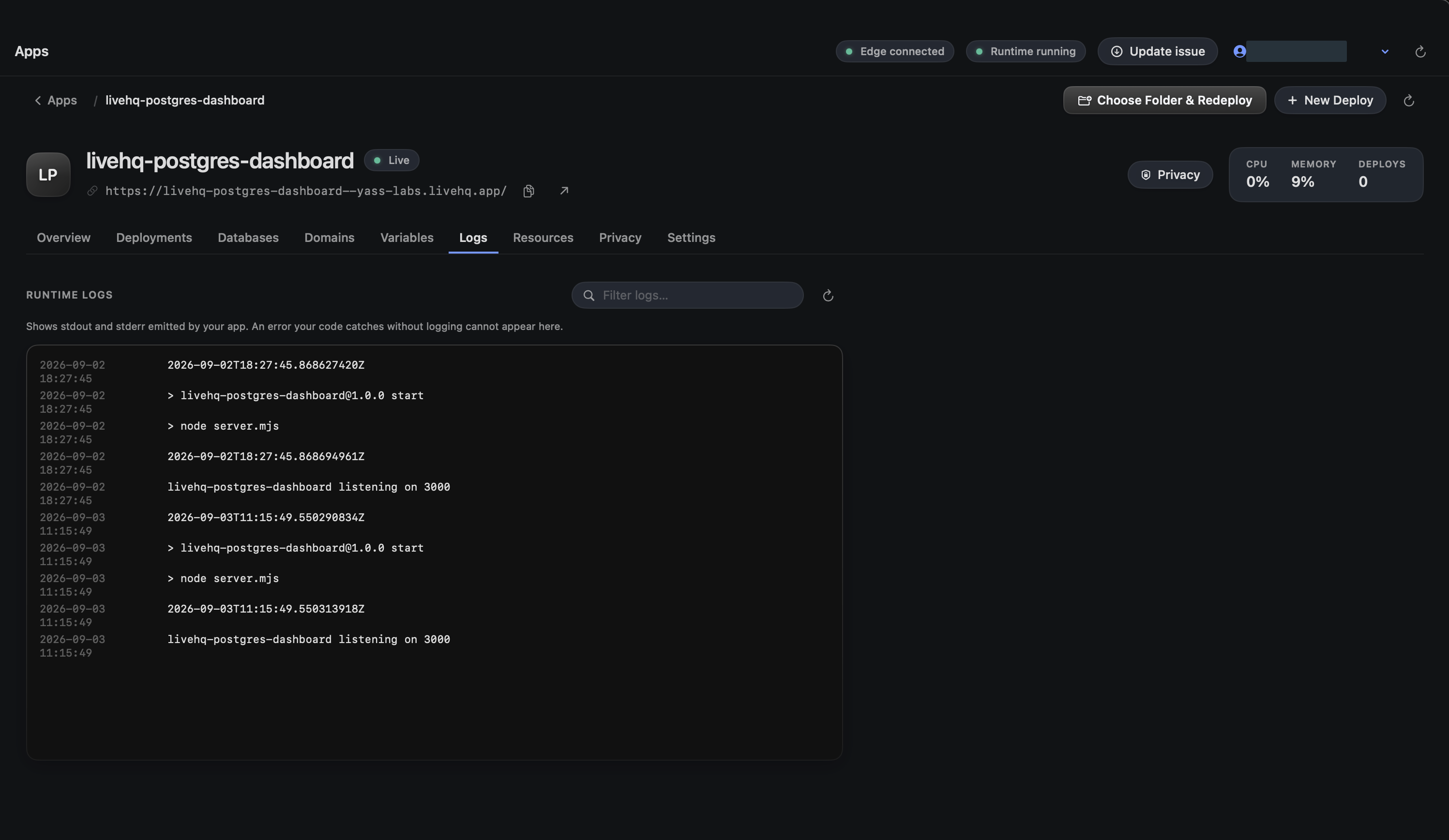
Choose a detail to zoom in, or enlarge the full screenshot.
Change resource limits deliberately
Memory and CPU changes create controlled runtime work. Choose limits that fit the Mac while leaving room for Docker Desktop, databases, sibling apps, and macOS.
LiveHQ does not autoscale local compute. The capacity is the capacity of the Mac you operate.
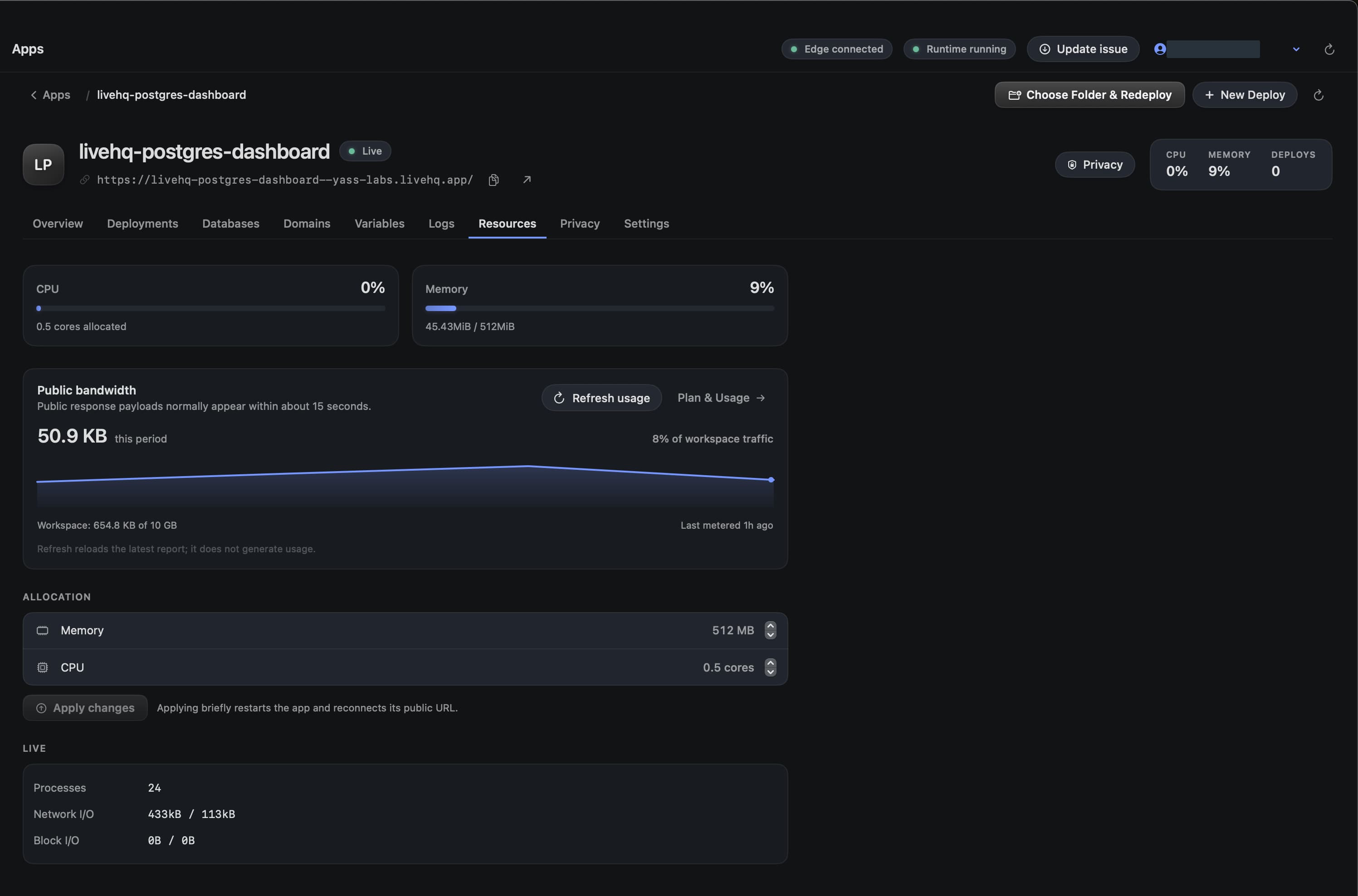
Choose a detail to zoom in, or enlarge the full screenshot.
Track workspace allowances and bandwidth
Open Plan & Usage in the sidebar to see the current plan, app and database allowances, CLI availability, and recorded public bandwidth. The per-app breakdown helps identify which app contributed traffic.
This beta capture shows a Free workspace and an Upgrade to Pro control marked Coming soon. A disabled plan control is not an available checkout. Recorded usage in a screenshot is not current account usage.
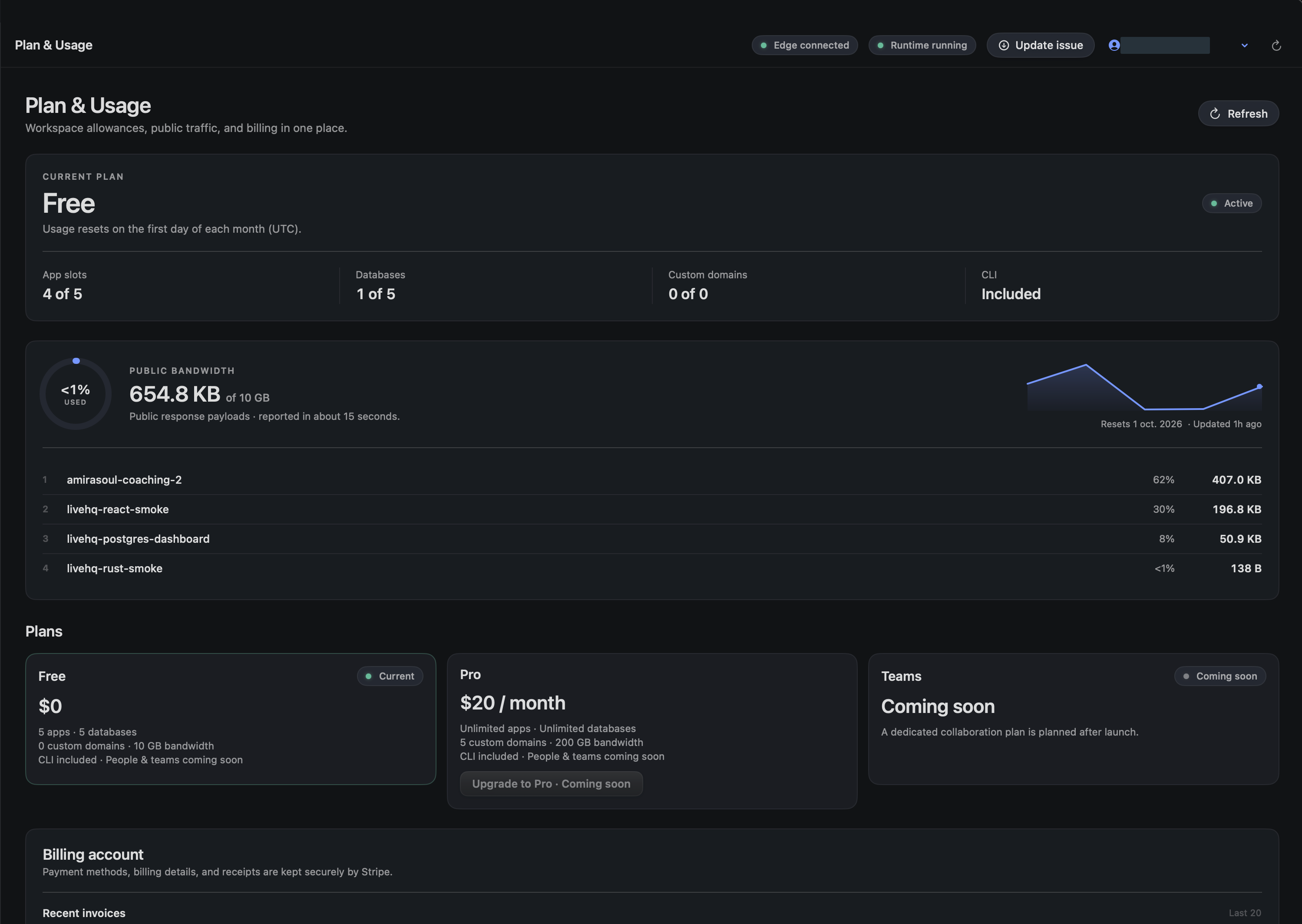
Choose a detail to zoom in, or enlarge the full screenshot.