
Data & accessDomains and sharing
Set up domains and app access
Use your app’s managed URL, connect a custom domain on Pro, and choose private, password, or public access.
Start with the managed URL
A successful publication receives a managed HTTPS URL under livehq.app. The backend owns the route identity; the Mac never predicts or registers its public IP in DNS.
Private apps challenge visitors before traffic reaches the Mac. Public apps accept any visitor with the URL. Password apps require the current generated application password.
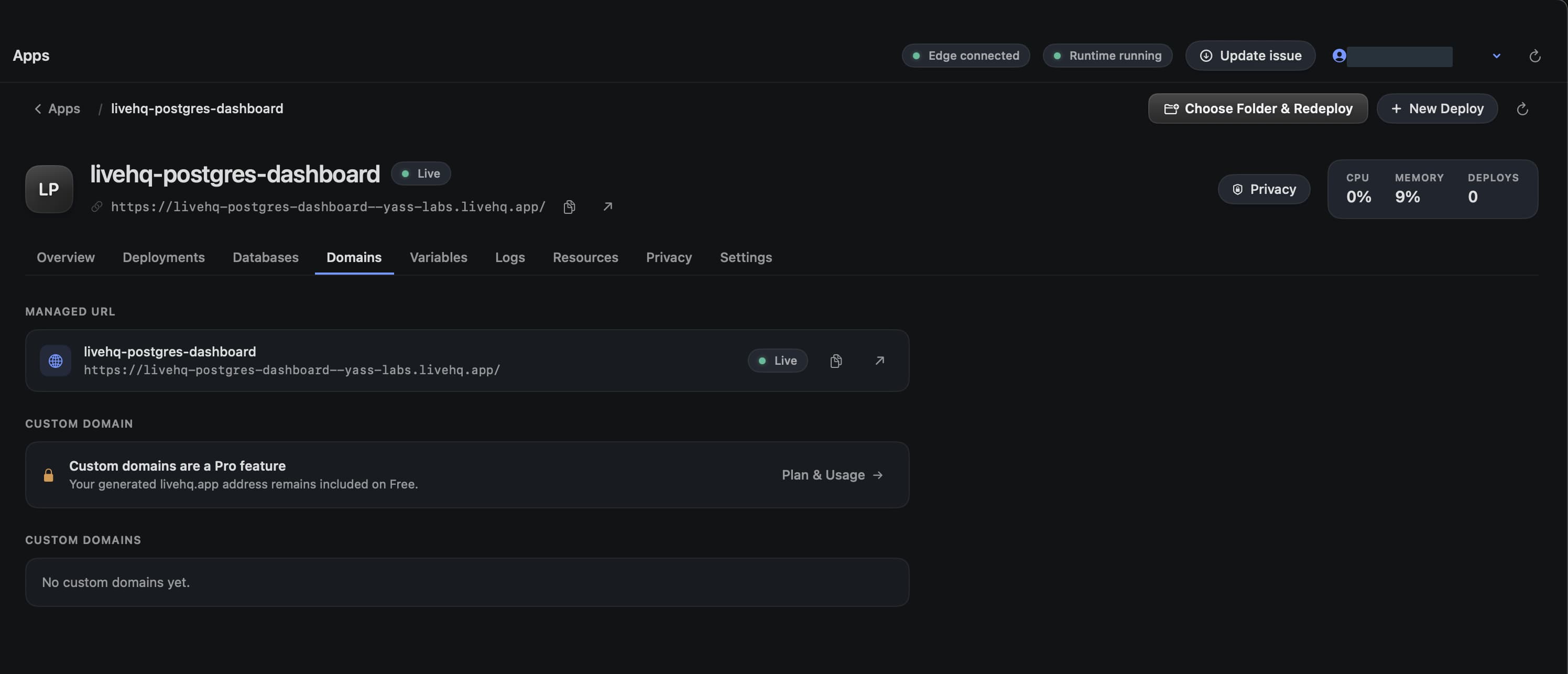
Choose a detail to zoom in, or enlarge the full screenshot.
Add a custom domain
Open the app's Domains tab
Enter the exact hostname, such as app.example.com. LiveHQ returns the authoritative DNS record and value.
Create the DNS record
Add the displayed CNAME at your DNS provider. Do not substitute a Mac IP or invent an edge target.
Wait for DNS → HTTPS → Live
LiveHQ verifies ownership, waits for certificate issuance and deployment, then binds the exact active app release.
Use Check now only when necessary
Background reconciliation runs while LiveHQ is open. Manual recovery is cooldown-bound to protect certificate operations.
Choose the smallest audience
| Mode | Who gets through |
|---|---|
| Private | Only the signed-in app owner. |
| Password | Anyone with the link and current generated password. |
| Workspace | Active members of the selected workspace when that control is enabled. |
| People or guests | Explicit recipients when collaboration access is enabled for the workspace. |
| Public | Anyone with the link, without signing in. |
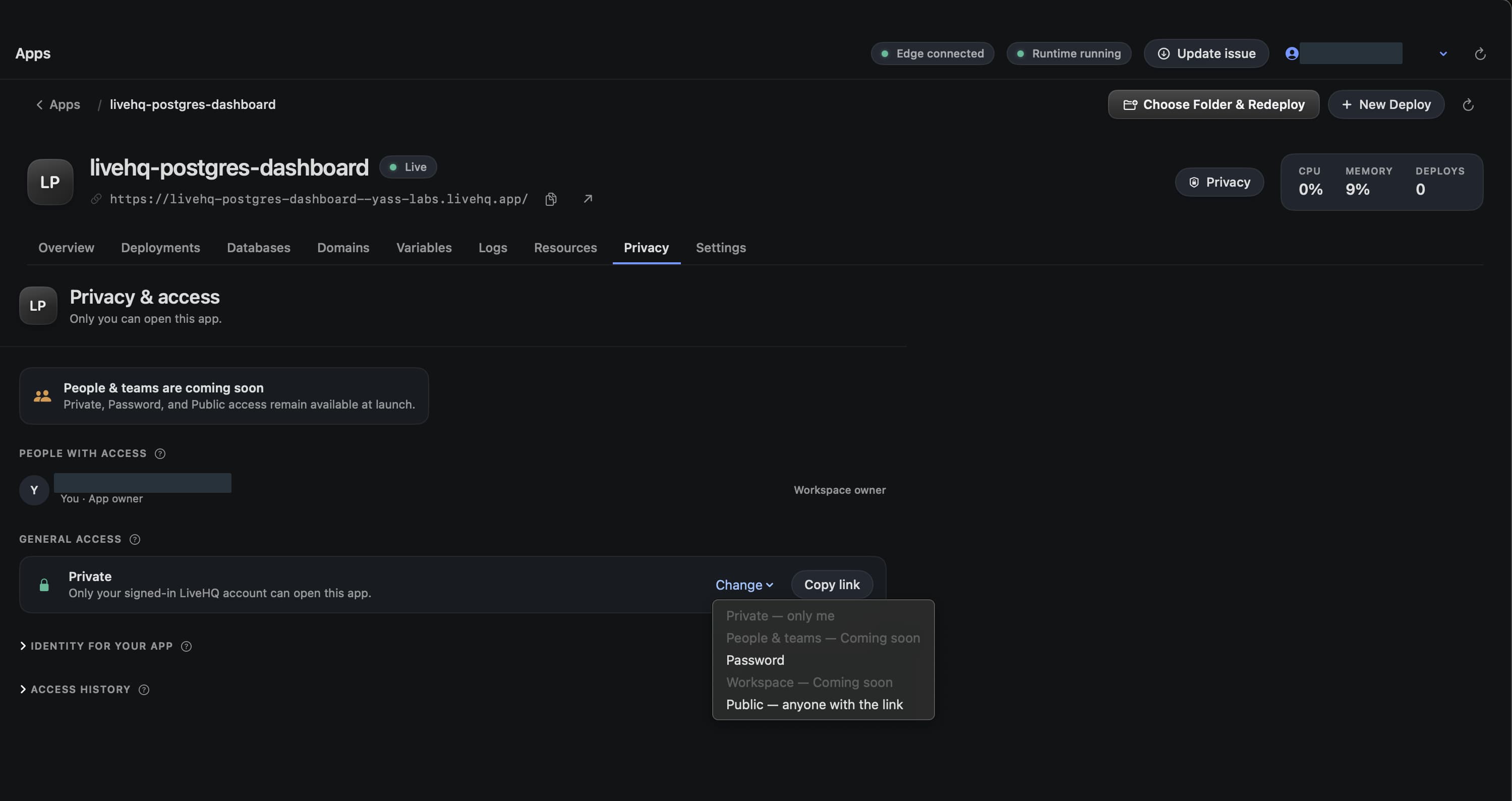
Choose a detail to zoom in, or enlarge the full screenshot.
Rotate an app password
LiveHQ shows a newly generated password once. Save it before closing the confirmation. The current password cannot be revealed later.
Generate a new password to invalidate every existing password visitor. Access history and signed app identity remain separate from the password itself.
What the public route can reach
Cloudflare terminates public TLS, the LiveHQ edge authorizes the exact route, and OriginLink carries traffic over an outbound connection to the signed runtime agent. The edge can target only an agent-issued loopback binding.
The Mac opens no inbound public port and is never placed in public DNS.
DDoS protection is on by default. Cloudflare shields the public hostname in front of the LiveHQ edge, so volumetric floods are absorbed there and never reach the tunnel or your Mac.