
OperateDeveloper tools
Deploy with the CLI or a coding agent
Deploy and manage apps from the command line, read structured results, and give a coding agent the supported deployment instructions.
Install and enable the CLI
Open Settings → Developer Tools
Choose Install CLI. LiveHQ creates a symlink at ~/.local/bin/livehq and does not edit shell startup files.
Choose Enable CLI
The authorization is bound to the signed-in user, workspace, Mac, current application bundle, and active hosting profile.
Reinstall after an app upgrade when prompted
This moves the symlink to the CLI embedded in the current LiveHQ bundle. Do not disable and re-enable authorization merely to update the executable.
Give your coding agent the LiveHQ skill
One Markdown file with the supported commands, deployment guidance, and recovery rules. No ZIP or additional files.
Download the skill
Save the SKILL.md file. It contains the complete LiveHQ deployment skill, including advanced configuration and safe recovery guidance.
Install it in your local coding agent
For Codex, place it at ~/.agents/skills/livehq-deploy/SKILL.md. Create that folder if needed, and review any existing skill before replacing it. Other agents may use a different skill directory.
Use it on the Mac running LiveHQ
The agent needs local shell access on the same Mac and user account as LiveHQ. The skill does not enable the CLI or make a remote cloud agent able to reach your Mac.
Use $livehq-deploy to deploy this project with my local LiveHQ app.Verify the control surface
Status proves the current account, workspace, device enrollment, Docker runtime, and CLI lock state. Capabilities lists the exact commands and current product limitations.
Before the first mutation in an agent session, confirm the CLI matches the running app and doctor reports runtime and deployment ready. Capabilities is the authority for optional commands such as billing.
livehq version
livehq doctor
livehq capabilities
Deploy through one ordinary command
Private is the default. Flags configure name, port, CPU, RAM, runtime environment names, privacy, and a managed database; they override optional livehq.yaml version 2 settings. Public access additionally requires --confirm-public. Custom start/health, release work, build secrets, and unusual database mappings use the manifest.
The CLI emits structured JSON or NDJSON for agents. It does not open the Docker socket, read arbitrary Keychain items, or reach another hosting profile.
livehq deploy /absolute/path/to/project --output json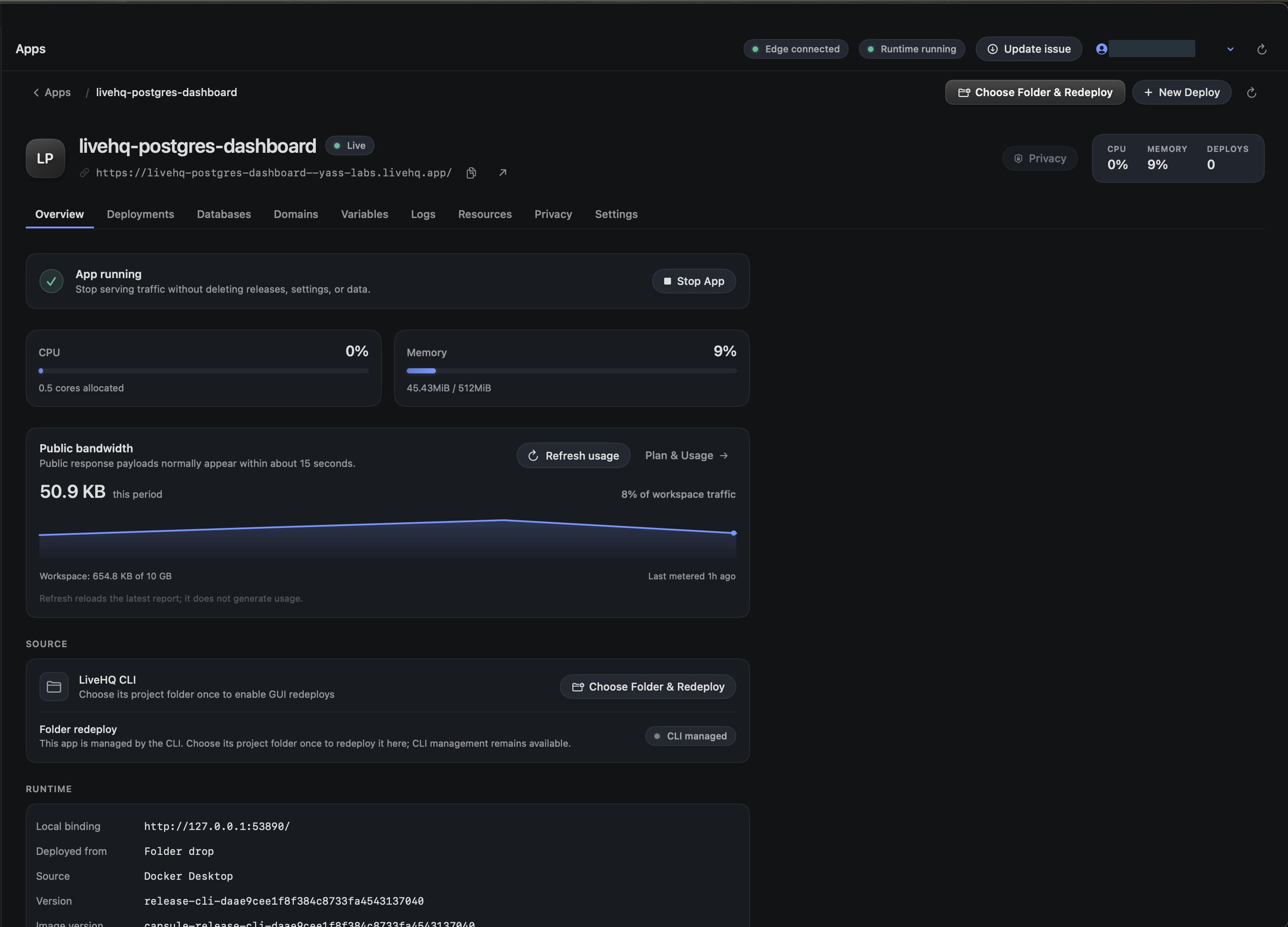
Choose a detail to zoom in, or enlarge the full screenshot.
Keep agent authority narrow
- Sign-out locks the CLI immediately.
- Disable CLI revokes the authorization for this profile.
- Secret values come from explicit env or stdin sources; LiveHQ never reads .env automatically.
- Destructive commands require explicit identifiers and confirmation flags.
- The runtime agent remains the sole Docker, runtime-Keychain, database, and OriginLink broker.